What is the recommended screen time by age?
As parents, we all know the struggle of trying to limit our kids’ screen time without causing a full-blown rebellion. It’s like walking a tightrope while juggling plates and singing “Baby Shark”–one misstep and it’s chaos.
But fear not! I’ve done some research and compiled a handy guide on the recommended screen time by age. So put down that tablet, turn off Paw Patrol for a hot minute, and let’s dive into this article together.
About screen time
The term ‘screen time’ gets thrown about a lot. But what does it actually mean?
Well, it’s like handing kids a magical portal to a universe filled with digital wonders and endless entertainment. It’s that thing that can turn a calm child into a screen-addicted maniac faster than you can say “Time for bed!” Screen time is anything a child watches with a screen that has flashing images and sound.
Screen time for kids is a slippery slope. It starts with innocent educational apps and ends up with them mindlessly swiping through YouTube, lost in a sea of unboxing videos. Suddenly, they’re quoting PewDiePie and challenging you to Fortnite dance-offs.
What happens if kids have too much screen time? Consequences of too much screen time – being sedentary
Excessive screen time and sedentary behaviour can have negative consequences for children. Here are some potential impacts:
First off, there’s physical health to consider. Adolescent psychiatry suggests kids who spend too much time glued to screens are usually pretty inactive, and we all know the body needs to move. It’s like a car – leave it in the garage too long and things start to go wrong. Fitness levels might drop, making kids huff and puff just going up some stairs. Not to mention, sitting all day staring at screens can be a real pain in the neck. Literally! We’re talking poor posture, back pains, and even a condition called “text neck.”
Lack of physical activity can also contribute to various health problems such as obesity, poor cardiovascular fitness, muscle weakness, and compromised bone health.
Spending excessive time in front of screens may interfere with your child’s physical, cognitive, and social development. It can hinder the development of fine motor skills, coordination, and balance. Additionally, excessive screen time may limit opportunities for social interaction and face-to-face communication.
What about eye health? Staring at screens for hours on end is causing a major strain, resulting in problems like blurry vision, headaches, and dry eyes – not the souvenir any kid wants.
And, let’s talk about sleep. It’s not just monsters under the bed that can keep kids awake at night. Screens, especially before bedtime, emit a kind of light that messes with the body’s internal clock, making it harder to fall asleep and get a good night’s rest.
Excessive screen time may contribute to decreased attention span and difficulties in focusing on tasks that require sustained mental effort. Research suggests that excessive media use in early childhood may have long-term effects on attention and cognitive abilities.
Some studies suggest that excessive screen time, particularly with interactive and stimulating media, may increase the risk of developing addictive behaviours. This can lead to difficulties in self-regulation and may contribute to problems with impulse control and emotional well-being.
And the story doesn’t end there. When kids spend too much time with screens, they might miss out on other important things in life. Homework, socialising with friends, exploring the great outdoors – all the fun stuff that doesn’t come with a charger.
So, how much screen time is too much? Well if it’s a bit like feeding kids candy for breakfast, lunch, and dinner, then moderation is definitely the name of the game, folks!
But how?
Average screen time by age statistics
So what are the current screen time statistics for kids in the UK? Internet Matters advises that the impact on children’s well-being is still debatable however more experts suggest we should focus more on what your child is watching rather than how long they’re on the screens for. Here are some stats:

What is the recommended screen time for kids?
The American Academy of Pediatrics has provided guidelines on screen time that are widely accepted. According to these guidelines:
- For children younger than 18 months, screen time other than video chatting should be avoided.
- Kids aged 18 to 24 months can start to introduce digital media, but parents must choose high-quality programming and watch it with their kids to help them understand what they’re seeing.
- For children between 2 to 5, screen time should be limited to one hour per day of high-quality programs.
- For kids aged 6 and older, parents should consistently limit the time spent using media, and make sure that screen time doesn’t interfere with sleep, physical activity, and other behaviours essential to health.
However, in the UK, the Royal College of Paediatrics and Child Health (RCPCH) guidelines are somewhat different from those in the U.S. The RCPCH doesn’t specify exact screen time limits for children. Instead, they suggest that families use their common sense and negotiate screen time limits based on the needs of each child.
However, they do provide some broad suggestions:
- Screen time on digital devices should not interfere with necessary activities such as sleep, exercise, and time with family.
- Parents should think about screen use in terms of a “healthy balance,” rather than focusing on specific time limits.
- Parents should negotiate boundaries on-screen use in the home based on individual needs and lifestyles.
- Parents should engage with their children’s online activities in the same way they would engage with their offline activities.
Remember, it’s not just about time, but also the quality and nature of the content that children are interacting with. Screen time can be educational and beneficial, but it should be balanced with other activities. If your child is playing video games for six hours a day, then it’s probably not going to benefit them in any way. The average screen time per day by age will vary, so let’s dig in a bit deeper regarding the screen time recommendations based on the kids’ ages.
What to keep kids busy? Here are 19 toys that are guaranteed to get your kids off the screens!
Screen time recommendations for babies up to 12 months old, 12 months to two years and screen time recommendations for children ages 2 to 5 years
For babies up to 12 months old, the AAP recommends avoiding screen time other than video chatting. Babies at this age learn best from face-to-face interactions and exploring the world around them. They need to use their senses and move their bodies to develop important motor and cognitive skills.
“You get genius learning from a live human being, and you get zero learning from a machine.”Patricia Kuhl is one of the world’s leading brain scientists and runs experiments with more than 4,000 babies each year.
The World Health Organization recommends no screen time for babies under 2 and no more than one hour of screen time a day for those aged 2 to 4.
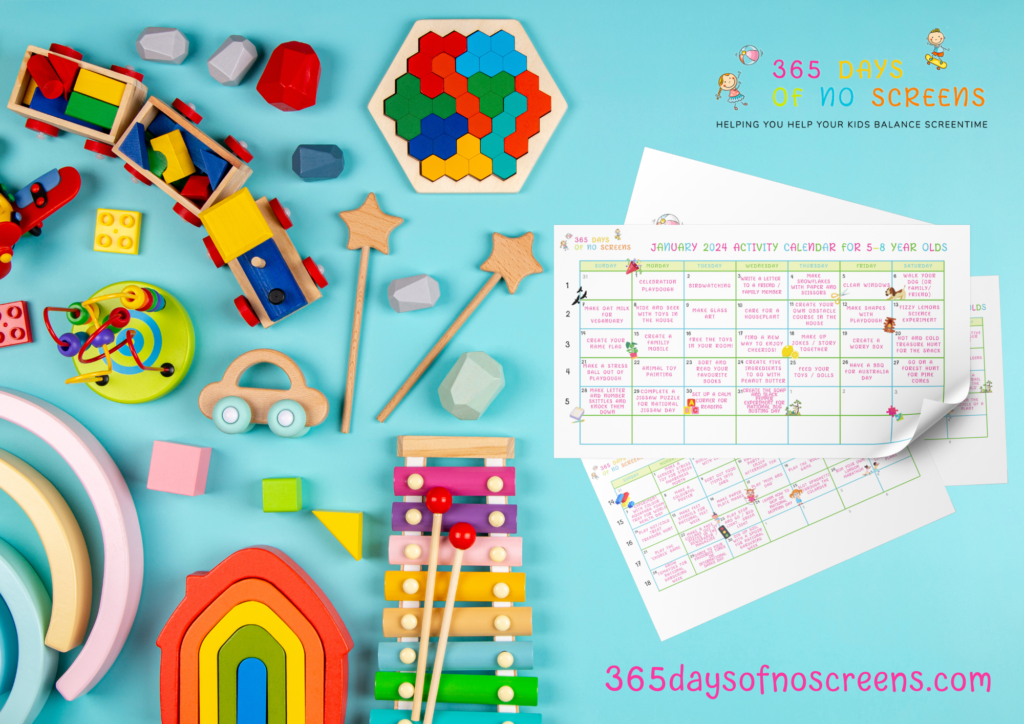
For kids under 2, the American Academy of Pediatrics recommends zero screen time (except for video chats with grandma and grandpa). Sorry little ones, but it’s time to put down the iPad and go bang some pots and pans together (or you can grab a free activity calendar here if you’re stuck for ideas! You can find lots of free activities to do too.).
In situations where digital media is used, it should be high-quality content and adults should watch with the child to help them understand what they’re seeing. For example, video chatting with family members can be a way of engaging your baby with screen time that’s interactive and sociable.
In the UK, the Royal College of Paediatrics and Child Health (RCPCH) emphasise that for babies and younger children, face-to-face interactions and play are crucial for development.
While they do not outright advise against screen time for infants, it’s clear that a baby’s primary activities should be physical play, interaction with caregivers, and sleep. If screens are used, it’s suggested they should not be used independently by the baby, but rather as a way to engage with parents or caregivers – for example, video chats with family members.
For toddlers between 2-5, the recommended limit is one hour per day of high-quality programming. That means no endless loops of “Baby Shark” or “Peppa Pig”. We’re talking about educational shows like “Sesame Street” or “Dora the Explorer”. And just because kids can navigate Netflix doesn’t mean they should be in charge of their own viewing habits.
Screen time recommendations for children ages 6 to 11 years
For children aged 6 to 11 years, the AAP and the American Academy of Child and Adolescent Psychiatry (AACAP) guidelines recommend that parents place “consistent limits” on the hours per day of media use, but they don’t set a specific numerical limit. The key here is ensuring screen time doesn’t interfere with other important areas of life like physical activity, sleep, school, and socialising with peers.
Similarly, in the UK, the Royal College of Paediatrics and Child Health (RCPCH) also don’t specify a hard limit on screen time. Instead, they encourage families to negotiate screen time limits based on the individual needs of each child. They also recommend that screen time shouldn’t displace essential activities.
These guidelines also stress the importance of the quality of screen time. There’s a big difference between mindlessly scrolling through social media or watching random YouTube videos and using educational apps or participating in interactive, creative activities.
For school-aged children between 6-12, the recommended limit is two hours per day. This includes all screens – TV, computers, tablets, phones – everything. So maybe ask your tween to take a break from Minecraft once in a while and try playing outside instead.
Screen time recommendations for children and teens ages 12 and over
For children and teens aged 12 and over, the American Academy of Pediatrics (AAP) advises parents to create an individualised family media use plan. Instead of specifying a numerical limit, the AAP recommends making sure media does not take the place of getting enough sleep, physical activity, and other activities essential to good health.
The key points of this media use plan could include:
- Consistent time limits on hours per day of media use.
- Curating media content, focusing on educational, high-quality entertainment, and avoiding inappropriate content.
- Designating media-free times together, such as during dinner, driving, and certain outdoor activities.
- Establishing media-free locations at home, like bedrooms.
- Having ongoing communication about online safety, including treating others with respect online and offline.
In the UK, the Royal College of Paediatrics and Child Health (RCPCH) doesn’t specify a limit but also encourages families to consider their own child’s needs, health, and lifestyle to form an appropriate screen time plan. The focus should be on a balanced approach to media use, ensuring it doesn’t compromise physical activity, sleep, or family interaction.
For teenagers ages 13-18… drumroll please… there isn’t an official recommendation anymore! Crazy right? The AAP suggests setting screen time limits based on individual needs and priorities. So if they need to use your laptop for homework or FaceTime with friends, then they must do so wisely!
Screen time recommendations for adults
While much of the focus on screen time limits has been on children and adolescents, it’s also crucial for adults to consider their screen time habits.
Here are a few broad guidelines on recommended screen time for adults:
- Take Regular Breaks: The 20-20-20 rule is often suggested by eye health professionals. Every 20 minutes, take a 20-second break and look at something 20 feet away. This helps reduce eye strain.
- Physical Activity: Ensure screen time doesn’t replace physical activity. Aim for at least 150 minutes of moderate aerobic activity or 75 minutes of vigorous activity every week.
- Sleep: Avoid screens for at least an hour before bedtime. The blue light from screens can interfere with your sleep.
- Mindfulness: Be aware of how much time you’re spending on screens and how it might be displacing other healthy activities. If you find that screen time is eating into time you would otherwise spend on hobbies, socialising, or other beneficial activities, you might want to reassess.
- Work-Life Balance: If possible, avoid checking work emails or doing other work activities during your personal time, to maintain a healthy work-life balance.
Screen time recommendations by age chart
It’s hard to know when the right time is to leave your child on the screens. Also sometimes we may forget how long a child has had screen time. I’m guilty of this as I’ll give my phone to my daughter, then run off and do errands and, by the time I’ve realised she’s been on the phone for too long, it’s too late – she’s stressed, anxious and generally negative. Then I get upset with her because she’s all those things and then I need to check myself because I gave my 3 1/2 year old daughter the phone for over 2 hours. Not cool but it happens and that’s real life.
So I try to follow the recommendations in the below chart and set a timer on my watch so I don’t forget. Then I make her burn her energy either in the garden (or if you don’t have a garden, set up an obstacle course of some kind) just to burn that negative sedentary energy that had been building up for those hours she was on the screen. Generally, that helps her balance out afterwards.

How to limit screen time – Tips and tricks
So the above is all well and good but how do we make changes for a more well balanced life?
Here are some tips and tricks to help you limit screen time for kids:
Set clear and consistent rules
Establish specific guidelines for screen time and communicate them clearly. For example, you can set limits on the number of hours or specific times of the day when screens are allowed.
Be a role model
Children often mimic their parents’ behaviour, so it’s essential to demonstrate healthy screen habits yourself. Limit your own screen time and engage in alternative activities like reading, outdoor play, or hobbies.
Create screen-free zones and times
Designate certain areas in your home, such as bedrooms or the dining table, as screen-free zones. Additionally, establish specific times during the day when screens are off-limits, such as during meals or before bedtime.
Encourage alternative activities
Provide a variety of engaging activities that can replace screen time. Encourage your child to participate in physical activities, hobbies, creative play, reading, or spending time with friends and family.
Use parental controls and monitoring tools
Take advantage of parental control features available on electronic devices, apps, and internet browsers. These tools allow you to set time limits, block inappropriate content, and monitor your child’s screen usage.
Plan screen time in advance
Instead of allowing unlimited screen time, plan specific periods for it. This helps children understand that screen time is a planned activity, rather than something available at all times.
Establish screen-free bedtime routines
Create a relaxing and screen-free routine before bedtime. Encourage activities such as reading a book, taking a bath, or engaging in quiet play to promote better sleep.
Encourage self-regulation
Help your child develop self-regulation skills by teaching them to manage their own screen time. Encourage them to be mindful of their usage and take breaks when needed. Provide gentle reminders and praise their efforts when they make responsible choices.
Encourage outdoor play and physical activity
Promote regular physical activity and outdoor play. Encourage your child to engage in sports, bike rides, walks, or other active hobbies that keep them away from screens.
Provide educational and quality content
When your child does engage in screen time, ensure they have access to age-appropriate, educational, and quality content. Encourage them to engage in interactive and educational apps, watch informative videos, or explore creative platforms.
Provide alternative entertainment options
Stock your home with board games, puzzles, art supplies, and books (like this awesome Maths Activity Book you can actually create at home!) to provide alternative sources of entertainment and engagement.
Communicate and explain the reasons
Have open conversations with your child about the importance of limiting screen time and the potential negative effects of excessive screen use. Help them understand the benefits of a balanced lifestyle and encourage their active participation in finding alternative activities.
Realise that each child’s screen time needs can be different
Remember that each child is different, and finding the right balance may require some trial and error. It’s important to adapt these strategies to suit your child’s age, interests, and needs while promoting a well-rounded and healthy lifestyle.
So folks, there you have it: the recommended screen time by age groups. Remember though that these are just guidelines – each person has different needs when it comes to technology use. So don’t feel guilty if you need a little extra scrolling now and then (or all day), but also remember that moderation is key.
The recommended screen time by age guidelines are a helpful starting point for finding the right balance, but, ultimately, the key is to be mindful of how much time your kids (and you) spend staring at screens each day and make adjustments as needed. So go forth and enjoy your Netflix binges, TikTok scrolling sessions, and Minecraft marathons – just don’t forget to take breaks and give those eyeballs a rest every now and then!
FAQ
What are some effective ways to control screen time for kids and teens in the family?
Other questions asked were:
- How can you limit screen time for your kids?
- Should parents limit their children’s screen time?
- What is the ideal screen time?
- What is a healthy amount of screen time per day?
- What is a healthy amount of screen time per day?
Controlling screen time for kids and teens in the family can be challenging, but here are some effective strategies to help you establish healthy habits:
- Establish specific guidelines for screen time and communicate them clearly to your children. Set limits on the amount of daily or weekly screen time allowed and specify which activities or apps are permitted. Ensure everyone in the family understands and follows these rules consistently. You can implement a screenfree weekday or weekend days to break things up a bit.
- Take advantage of parental control features available on devices, apps, and internet browsers. These tools allow you to set time limits, block or filter inappropriate content, and monitor your child’s online activities. Use them to create a safer and more controlled digital environment
- Designate certain areas in your home, such as bedrooms or the dining table, as screen-free zones. Additionally, establish specific times during the day when screens are off-limits, such as during meals, family time, or before bedtime. Encourage alternative activities and quality interactions during these periods.
- Promote a well-rounded lifestyle by encouraging physical activity, hobbies, reading, social interactions, and other offline activities. Provide a variety of engaging and stimulating alternatives to screens, such as sports, arts and crafts, outdoor play, or family game nights.
- Be a positive role model by practicing healthy screen habits yourself. Limit your own screen time, demonstrate responsible technology use, and engage in offline activities. Children are more likely to follow suit when they see their parents or guardians setting a good example.
- When your child does use screens, make it a shared experience. Engage in educational or entertaining activities together, such as watching a movie, playing a video game, or exploring educational apps. This allows for bonding and helps promote moderation and responsible use.
- Teach your children to be mindful about their screen time. Encourage them to set goals or engage in activities with a specific purpose, such as learning, creativity, or connecting with friends and family. Encourage them to avoid mindless scrolling or excessive time spent on non-productive screen activities.
- Set a specific time in the evening when all devices are turned off and stored away, creating a technology-free period before bedtime. This promotes better sleep and prevents screen-related disruptions to sleep patterns.
- Have open conversations with your children about the importance of managing screen time and the potential consequences of excessive use. Educate them about online safety, digital citizenship, and responsible technology use. Help them understand the benefits of a balanced approach and involve them in decision-making processes.
- Regularly monitor your child’s screen time habits and adjust the rules and restrictions as necessary. Be flexible and open to negotiation while maintaining a healthy balance that aligns with your family’s values and goals.
My 9 month old baby likes to watch the Teletubbies. Is it ok to let her watch 20 minutes of TV a day even though no screen time is recommended for children under 18 months
I am not a paediatrician, but the American Academy of Pediatrics (AAP) recommends that children under 18 months should avoid screen time, except for chatting on video. This is because infants and toddlers learn best through interaction with their caregivers and their environment.
However, it’s also essential to recognise that every child is different, and guidelines may not perfectly fit every situation. If you decide to let your 9-month-old watch 20 minutes of TV per day, it’s important to consider the following factors:
- Make sure the content is age-appropriate, educational, and promotes positive messages. In your case, the Teletubbies is a show designed for young children and should be appropriate.
- Engage with your baby during the screen time. Talk to her about what she’s watching, ask questions, and encourage her to interact with the content. This can help promote language development and comprehension.
- Make sure screen time does not replace other important activities like physical play, social interactions, and exploration. Make sure your baby has ample opportunity to engage in these activities throughout the day.
- Observe your baby’s reactions and behaviours during and after screen time. If you notice any negative effects, such as irritability or trouble sleeping, consider reducing or eliminating screen time.
Are some types of screen time better than others?
When it comes to screen time for kids, the content and context of the screen activities can make a difference. While you should limit overall screen time, certain types of screen activities can be more beneficial than others. Here are some examples:
- Screen activities that provide educational value, such as interactive learning apps, educational websites, or age-appropriate documentaries, can be valuable for children. They can promote cognitive development, language skills, problem-solving abilities, and subject-specific knowledge.
- Engaging in creative activities on screens, like drawing, music composition, coding, or video editing, can foster creativity, critical thinking, and digital literacy skills.
- Some video games or apps can encourage physical activity, such as active gaming or fitness apps that incorporate movement. These can be beneficial for children who might otherwise be sedentary during screen time, as they promote physical fitness and coordination.
- Screen activities that facilitate social interaction, such as video chats with friends or family members, multiplayer games with peers, or participating in online communities focused on shared interests, can provide opportunities for socialisation and connection.
- Encouraging children to engage in screen activities with a purpose or specific goals in mind can be more beneficial than mindless scrolling. For example, using screens for research, problem-solving, or creative projects promotes active engagement and critical thinking.
- When you engage with your child during screen time, whether it’s non-educational screen time or educational screentime, it can enhance the benefits. Co-viewing, discussing content, and asking questions about what they are watching or playing can improve comprehension, critical thinking, and communication skills.
How much screen time is really OK for babies under 2 years old?
Other questions asked were:
- How much screen time by age 2?
- What is the recommended screen time by age 2?
- What is a recommended amount of screen time by age 2?
- How much is too much screen time for a 2 year old?
- How much screen time is healthy for a 2 year old?
The American Academy of Child Pediatrics recommends that children under 18 months avoid all screen time, except for chatting via video. This is because infants and very young children learn best through direct interactions and real-life experiences with their caregivers and surroundings.
Between 18 and 24 months, the AAP suggests that parents can introduce high-quality, educational media content with their children, but it should be limited to supervised viewing and short in length. It is important to choose developmentally appropriate content and engage with the child during the screen time to enhance learning and understanding.
How much screen time should a 10 year old have?
Other questions asked were:
- How much screen time for 10 year old?
- How much screen time for kids aged 10+?
According to the AAP, children aged 6 to 12 years should have consistent limits on the amount of recreational screen time they engage in.
How much screen time for 12 year old?
Other questions asked were:
- What is the appropriate screen time by age 12?
- Are there any screen time limits by age 12?
The American Academy of Pediatrics (AAP) does not provide specific time limits for screen time for 12-year-olds. However, they recommend that parents work with their children to develop a personalised screen time plan that takes into account the child’s individual needs and interests.
Is 30 minutes of screen time enough for a 13 year old girl?
Other questions asked were:
- How long per day should a 13 year old spend looking at screens?
- Recommended screen time for 13 year old?
- What is the recommended screen time for teens?
While the American Academy of Pediatrics (AAP) does not provide specific time limits for screen time for 13-year-olds, it’s generally recommended to work with your child to establish a personalised screen time plan that takes into account their individual needs and interests.
The appropriateness of 30 minutes of screen time for a 13-year-old girl can depend on various factors, including the context and purpose of the screen time, as well as the balance with other activities in her life.
Some 13-year-olds may require more screen time for educational purposes, such as online research or school-related activities. It’s important to assess the content and purpose of the screen time to determine its value.
Consider how the screen time is impacting your daughter’s overall well-being, including her sleep patterns, mood, physical health, and academic performance. If she is experiencing negative effects from excessive screen time or if it is interfering with other important aspects of her life, it may be necessary to make adjustments.
Have open and ongoing conversations with your daughter about screen time expectations, the reasons behind them, and the importance of balance. Involve her in the decision-making process and encourage her to take responsibility for managing her own screen time within the established boundaries.
Can too much screen time lead to age related macular degeneration?
There is currently no conclusive evidence to suggest that excessive screen time directly leads to age-related macular degeneration (AMD). AMD is a complex eye condition that primarily occurs in older adults and is influenced by various factors such as age, genetics, smoking, and overall health. But remember there is no evidence because we’re not there yet. Those born into the digital world are still only in their 30’s.
However, excessive screen time and prolonged screen exposure can contribute to eye strain and discomfort, which may include symptoms like dryness, fatigue, blurred vision, and headaches. This is commonly referred to as digital eye strain or computer vision syndrome. While digital eye strain is temporary and typically not linked to long-term eye damage, it can cause discomfort and impact visual performance.
To reduce the risk of digital eye strain and promote eye health:
- Follow the 20-20-20 rule: Every 20 minutes, take a 20-second break and look at something 20 feet away. This helps reduce eye fatigue and refocuses the eyes.
- Ensure proper screen setup: Position the screen at a comfortable distance (about an arm’s length away) and adjust the screen brightness and contrast to reduce strain. Position the screen slightly below eye level to minimize the strain on the eyes.
- Use proper lighting: Ensure that the room lighting is suitable for screen use. Avoid glare on the screen by adjusting the surrounding lighting and using curtains or blinds to minimize outside light.
- Take regular breaks: Encourage your child to take regular breaks from screen activities. Encourage them to engage in other activities that don’t involve screens, such as physical activity, reading, or creative play.
- Encourage outdoor time: Spending time outdoors and engaging in activities that allow for distance viewing and exposure to natural light can help reduce eye strain associated with prolonged screen use.
- Promote good overall eye health: Encourage your child to maintain a balanced and healthy lifestyle, including regular eye check-ups, a nutritious diet, proper hydration, and adequate sleep.
While excessive screen time may not directly lead to AMD, it’s still important to promote responsible and healthy screen habits to minimize discomfort and support overall eye health. If you have concerns about your child’s eye health or their screen time habits, speak to your optician.
Is watching screens for 8 hours a day harmful?
Yes, watching screens for 8 hours a day can have potential harmful effects on both physical and mental well-being. Here are some of the concerns associated with prolonged screen time:
- Eye strain and discomfort: Extended periods of screen time can lead to digital eye strain, which can cause symptoms such as dry eyes, blurred vision, eye fatigue, and headaches.
- Sedentary behaviour: Spending long hours in front of screens often means being physically inactive, which can contribute to a sedentary lifestyle. The Centers for Disease Control and Prevention (CDC) have found a lack of physical activity can have negative effects on overall health, including increased risk of weight gain, cardiovascular problems, and musculoskeletal issues.
- Sleep disruption: Excessive screen time, particularly in the evening or close to bedtime, can disrupt sleep patterns. The blue light emitted by screens can interfere with the body’s natural sleep-wake cycle, making it harder to fall asleep and stay asleep.
- Less time for social interaction: Spending excessive time on screens can reduce face-to-face social interactions, which are crucial for social and emotional development. It can lead to decreased communication skills, difficulty forming and maintaining relationships and feeling isolated.
- Mental health issues: Excessive screen time has been linked to an increased risk of mental health issues such as depression and anxiety. Heavy social media use and exposure to online negativity can contribute to poor self-esteem and cyberbullying as well as an inability to handle emotions.
- Poor academic performance: Spending excessive time on screens can detract from time that could be spent on other activities, such as homework, studying, reading, or engaging in extracurricular activities. This can potentially impact academic performance.
It’s important to find a balance between screen time and other activities, to support a healthy lifestyle. Encouraging regular breaks from screens, engaging in physical activity, pursuing hobbies, spending time in nature, and promoting face-to-face interactions can all help mitigate the potential negative effects of excessive screen time.
Should your child wear bluelight glasses during screen time?
Wearing blue light glasses during screen time is a personal decision that depends on various factors. Blue light glasses are designed to filter out or reduce the amount of blue light emitted by screens, which some believe can help relieve eye strain and improve sleep quality. However, scientific evidence regarding the effectiveness of blue light glasses is mixed, and their benefits may vary from person to person.
Here are a few considerations to keep in mind:
- Some people may be more sensitive to the effects of blue light and may experience eye strain or discomfort during prolonged screen time. Blue light glasses may offer relief for those individuals by reducing the exposure to blue light.
- Adjusting the screen settings, such as reducing brightness, using warm colour temperature, and optimising the lighting in the room, can also help reduce eye strain. Creating a screen environment that is comfortable and well-lit may reduce the need for blue light glasses.
- Blue light exposure in the evening, close to bedtime, can potentially disrupt sleep patterns. If your child uses screens extensively during the evening hours, wearing blue light glasses may help reduce the impact of blue light on sleep quality.
- If you are concerned about your child’s eye health or experiencing persistent eye strain, talk to an optician. They can provide personalised advice and guidance on whether blue light glasses may be beneficial for your child.
- Encouraging regular breaks from screens, practicing the 20-20-20 rule (looking away from the screen every 20 minutes), and promoting healthy screen habits are important for minimising eye strain and maintaining overall eye health.
Is 5 hours on screen time with normal using good on galaxy s7 or low?
Five hours of screen time on a Galaxy S7 can be considered relatively high usage. The Galaxy S7 is an older smartphone model, and its battery life may not be as robust as newer devices. The screen-on time can vary depending on the specific usage patterns and settings of the device.
To determine if 5 hours of screen time is good or low, consider a few factors:
- Battery life: The battery life of the Galaxy S7 can vary depending on factors such as screen brightness, usage intensity, background processes, and battery health. If the device can comfortably last the entire day with 5 hours of screen time and still have sufficient battery remaining, it could be considered good. However, if the battery drains quickly or requires frequent charging, it may be considered relatively low.
- Personal needs and habits: The appropriate screen time varies from person to person based on individual needs and usage patterns. Is 5 hours of screen time is necessary for your regular activities and does it align with your desired balance between digital engagement and other aspects of life?
- Impact on well-being: Consider whether excessive screen time is impacting your overall well-being, such as interfering with sleep, physical activity, social interactions, or productivity. If 5 hours of screen time is negatively affecting these aspects, you may need to reassess your smartphone rules and adjust your usage habits.
What’s happening to our brain when we’re staring at a TV screen or a computer screen for a long time?
When staring at a TV screen or a computer screen for a long time, several effects can occur in our brain and body:
- Eye strain and fatigue: Prolonged screen time can cause eye strain, dryness, and fatigue. The constant focusing and refocusing of the eyes, coupled with reduced blinking, can lead to discomfort and visual symptoms.
- Blue light exposure: Screens emit blue light, which can suppress the production of melatonin, a hormone that regulates sleep-wake cycles. Increased exposure to blue light in the evening or close to bedtime can disrupt our sleep patterns and affect overall sleep quality.
- Reduced attention span and cognitive overload: Continuous screen time, especially when engaged in multitasking or rapid content consumption, can lead to cognitive overload. This can result in reduced attention span, difficulty concentrating, and decreased productivity.
- Dopamine release and addictive tendencies: Engaging with screens, particularly in activities such as gaming, social media, or streaming, can trigger the release of dopamine in the brain’s reward system. This can create a sense of pleasure and reinforce screen-related behaviours, potentially leading to addictive tendencies or excessive screen use.
- Impact on brain development (in children): Excessive screen time in young children can potentially impact brain development. Research suggests that excessive screen use during critical periods of development may affect cognitive and social-emotional skills negatively.
- Sedentary behaviour: Extended screen time often involves sitting or remaining sedentary for long periods, which can contribute to a more sedentary lifestyle. Prolonged sedentary behaviour is associated with various health risks, including obesity, cardiovascular issues, and musculoskeletal problems.
It’s important to note that the effects can vary among people, and the specific impact depends on factors such as screen content, duration, and individual susceptibility. Implementing strategies such as taking regular breaks, practising the 20-20-20 rule (looking away from the screen every 20 minutes), and maintaining a balanced lifestyle with physical activity and other offline activities can help mitigate the potential negative effects of prolonged screen time.
*Collaborative feature post*