little ones, big fun
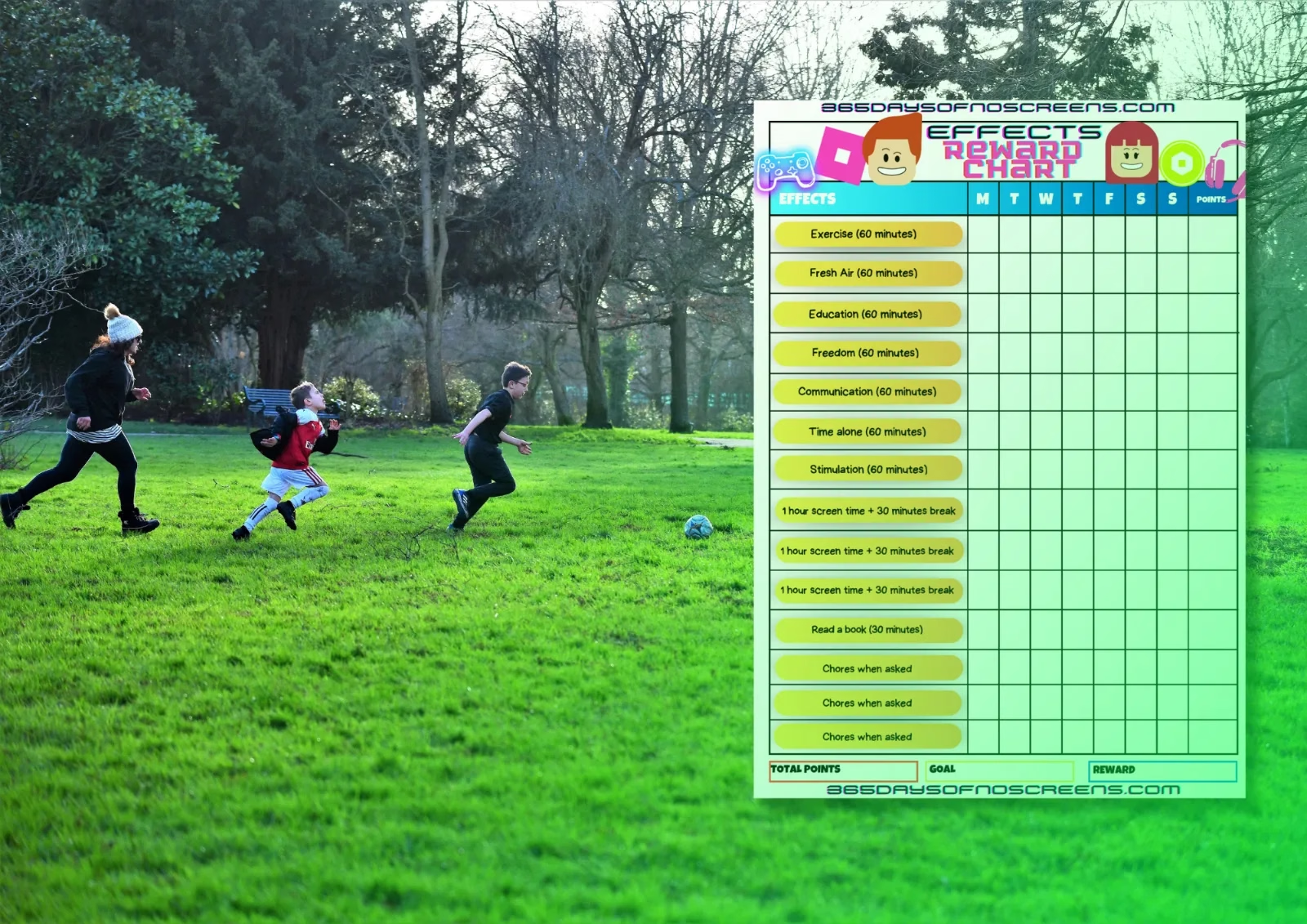
Free printable screen time chart to balance screen and play
Ad · This post is sponsored by Tech21. Links marked * are affiliate links; I may earn a small commission at no extra cost to you.
I am holding onto my patience by the skin of my teeth, when I constantly hear, ‘I’m bored!’ every time I rip electronics out of my kids’ hands. Long gone are inventive imaginations or any kind of creativity, especially when the kids have been on the screens for a long time.
in this article 12 sections: show all
- Why parents limit screen time
- But how much screen time per day is healthy for kids then?
- Here’s why screen time is important to build into the schedule, though
- What should be daily screen time?
- Should I have my kids earn screen time?
- How to create a screen time plan for your family
- The free printable screen time chart pdf and png versions
- Let’s go through the EFFECTS Reward screen time chart now
- So, how are we going to get the kids to keep to the reward chart rules?
- How did we get on?
- Check out these other printables that can help
- Faq
My relationship with my tween and teen has been downgraded to one-word answers and I’m convinced my name has been changed to ‘Bruh!’. This wasn’t helped by ‘no-man’s-land’ week between Christmas and New Year’s Eve events, both marked dates of which included all kinds of screen-free activities like board games, quizzes and lots of human interaction. Then we hit no-man’s-land again until school started.
Want the free printable screen-time reward chart?
Click below, pop your email in and it lands in your inbox in a minute (PDF, PNG and an editable Canva version).
No more limbo! I decided in the new year to include a freshly energetic stab at a free printable screen time chart to balance screen and play, so the kids could still get their screen time fun, but they had to do some things to qualify first like riding a bike for example to get some exercise. And these ‘things’ include EFFECTS (don’t worry, I’ll explain what that is in a moment. You can also find information here) chores, reading (I may as well stick a cross in my face when I utter that word to my tween/teen) and other screen-free fun which is met by groans and ‘I hate you’s. What an evil mum I am…
I shall persevere, though. And we shall continue on this arduous, endless journey together!
So venture on with me as I explain how I pried my kids’ fingers off their phones/keyboards and got them into the habit of ‘touching grass’ as my teen calls it. (Explanation here.)
Why parents limit screen time
So why should we limit screen time anyway?
Parents often limit screen time for a few key reasons:
- Health: Too much exposure to screen time can strain the eyes, disrupt sleep and contribute to mental health problems (like depression and anxiety) and obesity, which is why screen time should be limited, especially at night. Kids need to get enough rest and not strain their eyes too much.
- Activity Balance: Parents want their kids to have a variety of activities – like playing outside, reading, or doing hobbies – not just staring at their digital devices all day.
- Social Skills: Interacting face-to-face helps kids develop important social skills. Too much screen time might limit these real-life interactions.
- Brain / Cognitive Development: For younger kids, too much screen time can affect how their brains grow and learn new things.
- Content Control: By limiting screen time and using parental controls, parents can make sure kids aren’t exposed to inappropriate content or spend too much time on unproductive activities.
In short, it’s all about keeping things balanced and healthy!
But how much screen time per day is healthy for kids then?
I wrote about how much screen time kids should get here and included an infographic screen time chart by age. I’ve summarised the key points below:
- Infants and Toddlers: For children under 18 months, avoid screen time except for video chatting. For children ages 18-24 months, introduce high-quality digital media with parental involvement. For ages 2-5, you should limit screen time to one hour per day of high-quality programs.
- Children Aged 6-11: The American Academy of Pediatrics (AAP) suggests consistent screen time limits, without specifying exact hours, emphasising that screen time should not interfere with physical activity, sleep, and social interactions. The UK screen time guidelines also don’t specify a hard limit, focusing instead on the individual needs of each child and the importance of a balanced approach to screen use.
- Teens and Older Children: For those aged 12 and above, an individualised family media use plan is recommended, focusing on not letting media interfere with sleep and physical activity, and prioritising educational and high-quality content. The UK guidelines similarly suggest a balanced approach tailored to the individual’s needs and lifestyle.
- Adults: Recommended screen time practices include taking regular breaks, ensuring physical activity is not replaced by screen time, avoiding screens before bedtime, being mindful of screen time use, and maintaining a healthy work-life balance.
Here’s why screen time is important to build into the schedule, though
In this digital age, screens are a part of everyday life. Including some screen time helps children become familiar with technology, which is vital for their future and it’s also a way for them to access educational content, like interactive learning apps or informative programs, which can support their schooling. YouTube Kids is not classed as educational screentime by the way!
However, it’s all about balance. Too much screen time can be a problem, so mixing screen entertainment with plenty of physical activity, face-to-face interactions, and other non-screen activities is key. Just like a well-rounded diet, a balanced timetable based on moderation is essential for a child’s development.
What should be daily screen time?
The right amount of screen time can vary depending on a person’s age. As mentioned above, for young children, like toddlers, it’s usually recommended to keep it to about an hour a day, focusing on high-quality, educational content. As children get older, a bit more screen time can be okay, as long as it doesn’t impede on other important activities like exercise, sleep, and socialising. For young adults, it’s more about making sure screen time doesn’t dominate their day and remembering to take regular breaks, especially if they’re working on a computer. The key is balance and making sure screens don’t replace other important activities.
When planning screen time for your child, consider including a mix of educational and entertaining content. Educational apps or shows that align with their learning at school are great, as they can help with things like maths, reading, or science. Then, there are creative apps where kids can draw, make music, or learn a new language. Also, don’t forget about interactive content, like video chats with family or friends. This helps them stay connected and practice communication skills. The key is to choose content that adds value and supports their overall development, not just passive watching.
Should I have my kids earn screen time?
Having your kids earn their screen time can be a good strategy. It’s like giving them pocket money to complete chores. This approach teaches them that screen time is a privilege, not just something that’s always available. You could set up simple tasks or goals, like finishing homework, helping around the house, or spending a certain amount of time reading or playing outside. It encourages them to value their screen time more and also helps balance it with other important activities, as well as create healthy habits. But remember, the goal is to teach balance and responsibility, not to make screen time seem like the only ‘fun’ thing to do or make it a punishment to take away.
So, to create an effective way to earn screen time, we need to create a plan that’s individualised to the child’s interests. I’ve spun it a little and included screen time in the schedule and that the goal is something kids really want. As my children have binged on screen time for far too long, taking it away and earning it back is unrealistic. But if I can encourage them to balance it throughout the day, then they can earn something that makes their screen time more fun – Robux! I’ll explain more about this goal in a moment. Stay tuned.
How to create a screen time plan for your family
Creating an individualised screen time plan for your family is important because kids may want different things as a reward or they may have different issues that need fixing – like not going outside enough, or spending too much time on social media. So, one of the first things you need to do is figure out what everyone wants. Here are some practical tips to help you out:
Have an open discussion about what you want
The first step to anything that involves the whole family is communication. Having a chat with everyone means you get their views on screen time, what’s important to them, and what they enjoy doing online. For example, my boys will wake up at 5am to catch the latest update in their ROBLOX game, but when it’s a school morning, I can’t get them up for love or money. So they’ll want to make sure they catch their updates and I want to make sure they get up for school.
Remember, it’s not about limiting time, it’s about understanding each other’s digital needs and interests. Try not to negate or brush over your child’s views. It may not be important to you, but it could be extremely important to them. An example of how I could broach the subject of those early morning game updates could be rethinking the way I approach my tween and teen. So instead of saying:
“Why would you need to get up at 5am to catch a game update that has no bearing on your life? What a colossal waste of time! I’ll only let you do that if you can get up for school instead!”
I would perhaps slightly rephrase it to:
“Hey, I get that getting up super early for a game update is exciting, but think about it – does it really change anything important in your day? Imagine if you could put that energy into getting up for school without any fuss. How about this deal: show me you can wake up on time for school, and we can talk about those early morning game updates. Sound fair?’
Another example could be:
“All you’ve done all day is be on the screens! You’ve wasted the entire day away! No screen time until you have spent all day outside!”
I would perhaps slightly change it to:
“Hey, I’ve noticed you’ve been on your screens a lot today. It’s easy to lose track of time like that, isn’t it? Let’s try something different tomorrow. How about we take a day off from screens and do something else that’s fun or maybe something new? It’s important to mix things up a bit. What do you say?
I know it’s so much easier said than done because we’re also stressed, we have things to do, or we are on the screens ourselves! But, to make a dent in your screen time takeover, you need to rethink the way you approach your child, especially if they’re used to being on the screens all day. Children are more receptive to change when they feel heard and respected.
Set clear guidelines
Together, decide on what’s reasonable in terms of daily or weekly screen time. This can vary depending on age and personal needs. For younger children, you might want to be more restrictive, while teenagers might need more freedom but with clear boundaries. So, for example, you may impose a strict bedtime routine. No screens after 4.30pm or 5.30pm for younger kids and perhaps 8.30pm or 9.30pm for older kids, depending on their age.
For me, I still believe 9.30pm is a massively late screentime rule but my 13-year-old’s friends only come online after 8, so I have to allow him some time to play with them before he comes off. We’ve had a real problem with the bedtime issue so I may write a specific article on bedtime screen rules once I’ve tested a few things I’m trying at the moment.
Comment below if this is a topic you’d like to learn more about and whether you want to read more about my experiments. Believe me, it’s the number one argument over screentime in this house! But, it’s the difference between my teen going to bed happy and him going to bed feeling sad and lonely, which often happens if we take the screens away too early and his friends are calling to play with him.
We are hoping to eventually move the last screentime call up by half an hour. But right now when he comes off, he goes to bed, albeit it takes him some time to sleep. This, however, is in stark contrast to taking the screens away from him at 8pm, resulting in a massive meltdown, and then he can’t get to sleep until 1am/2am due to high anxiety caused by the massive blowout.
Sometimes you have to pick your battles.
It’s all about quality over quantity
We want to focus less on the amount of time they spend on screens and more on the quality of what they’re watching, with, of course, some time allocated to what I call useless (or discretionary) screen time. So, if your child has been watching YouTube shorts for six hours, try cutting that in half to three hours a day and then slowly downgrading it to two hours etc. You may even want to make a smaller cut, but what will you replace those hours with? That’s the important part.
Encourage your child to look at educational, creative or physically active screen-based activities. Maybe there’s a documentary everyone wants to watch or a fitness app that gets the family moving together. Focus on screen time that encourages conversation and positivity. Maybe you can compromise and agree to watch that YouTube video your child keeps wanting to watch afterwards.
So, for example, instead of saying:
“Get off those YouTube Shorts and let’s do something useful instead! Can’t we watch a movie or watch that documentary you like, like 72 most dangerous animals? If you do that with me, I’ll watch that annoying YouTube video you keep harping on about!”
Maybe try instead saying:
“Hey, how about we switch from YouTube Shorts to something we can both enjoy? I’m thinking maybe we could watch a cool movie or that ’72 Most Dangerous Animals’ documentary you like. Plus, if we do that, I’m totally up for watching that YouTube video you’ve been talking about afterwards. Sound like a plan?”
Schedule in tech-free zones and times – and stick to them!
Establish certain areas in the house as screen-free zones, like the dining room during meals or during family bonding time. Also, consider setting tech-free times, as mentioned above. You may want to set a completely different cut-off time or set an area in the house which is completely tech-free. I’m considering setting up a totally tech-free zone in a corner of the house, complete with a den, sensory light
Lead by example!
As a parent, it’s crucial to model the behaviour you want to see. If you’re on your phone during family time, it sends a mixed message. Try not to let the back of your phone be the first thing your kids see or answer half-heartedly while you answer your child’s question because you’re too engaged on your phone. This shows you’re not really interested. Screens are addictive even for adults, so you can imagine how hard it is for kids to put their devices down! Show them that being present without screens is valuable and fun, and find ways for you to help balance your own activities too.
Consider balance and flexibility
Be prepared to adjust the rules for special occasions or as children grow older. For example, over the Christmas holidays, it’s unrealistic to set school time regulations when the kids are at home all day. It’s all about finding a balance that works for your family, and being flexible with the result.
School holidays can be the most difficult time to balance screentime so why not join my Screen Free Winter Holiday Challenge, which happens every school winter holiday and my Screen Free Summer Holiday Challenge, which happens every summer holiday if you’re struggling with the balance? I even have a Screen Free Halloween Challenge which happens during half term! These challenges are there to help engage your child in screen-free activities and balance screentime when statistically screentime is at its highest.



Regularly monitor and discuss
Regularly check in with how everyone is feeling about the screen time rules. Are they too strict? Too lenient? It’s a plan that should evolve with your family’s needs, so if you find the plan is too restrictive and your kids can’t sustain it, then increase the screen time and reduce the demand for screen-free activities. If you find that kids are still online for too long, then find a way to cut one of the screen time sections and replace it with a screen-free activity. This is a trial and error process, a journey you should continue to develop because there’s no destination – just happy families!
Educate kids constantly about online safety
Use this chat you’re going to have about the new screen time rules as an opportunity to talk about staying safe online, the importance of privacy, and being mindful of what’s shared on the internet. My husband checks the boys’ Discord chats and WhatsApp groups every night. If we find something alarming, we make a note of it and discuss it with the boys the next day.
We have noticed that our son takes pictures of toys and games he sees at the shops, which may seem innocent to him. But these pictures carry a location tag, which is something I’m sure he wouldn’t have considered when he shared them online. But as we monitor his internet usage every night, we caught it before it may have led to a worse situation, like perhaps taking pictures of himself or his siblings.
For parents, monitoring screen time can become a full-time job but the more proactive we are, the more educated we become with the nasties that happen in the online world, so we can then educate our kids and hopefully, they become more responsible.
Teach kids to be responsible for their devices
Devices are expensive and most kids don’t really understand their value. So teaching kids to look after their devices should be at the forefront of their screentime education. I recently partnered with Tech21*, a company that’s all about creating smart materials to keep your mobile phones safe.
Tech21* focuses on making sure that phones and tablets can handle the everyday knocks and bumps. This means when your kids are on their devices, whether they’re learning something new or playing games, their tech is in safe hands.
One cool thing about Tech21 is that they have their own team of scientists and experts who create their materials. They even have their gear tested by top physicists to make sure it does what it says on the tin, like fighting germs and being kind to the environment.
So, Tech21 fits right in with balancing our kids’ screen time with other activities and making sure they’re using tech safely and smartly. And let’s be honest, gadgets aren’t cheap, so using a strong, reliable case from Tech21 just makes sense.
Here’s why Tech21 is a good choice for parents:
- Reliability: They’re known for making top-quality accessories, so you know you’re getting something good.
- Variety: They’ve got loads of different cases and protectors, so whatever your child’s device, Tech21 probably has something that’ll fit.
- Protection: Their scientific approach means your kids’ screen time is supported by the best protection out there.
And if your kids like to personalise their gadgets, Tech21 has plenty of options, from phone cases* to protectors for iPads*, AirPods, and MacBooks.
Using products from Tech21 is part of teaching our kids to look after their stuff properly. It’s about being responsible for our tech, just like we’re trying to be responsible for how much time they spend on screens.
So as we work on getting the right digital balance for our family, it’s good to remember that keeping our gadgets safe is just as important. Tech21 offers a way to do that.
Encourage other activities
Make sure there are plenty of non-screen alternatives available. Problem-solving activities like board games, books, and outdoor activities are great and having these options easily accessible can make it easier to reduce screen time. One way you can ensure your child is hitting all the important screen-free developmental milestones without imposing too much pressure on them is to work through an acronym I created called EFFECTS. Which brings me to my next point.
EFFECTS
I came up with EFFECTS when I was trying to figure out how to balance my kids’ day with important screen-free activities that would otherwise be displaced by screentime. I also wanted to make sure the screen-free activity was effective and beneficial. So I created a list which I stuck on multiple walls in the house to remind the kids of what they needed to do every day. This is the list:
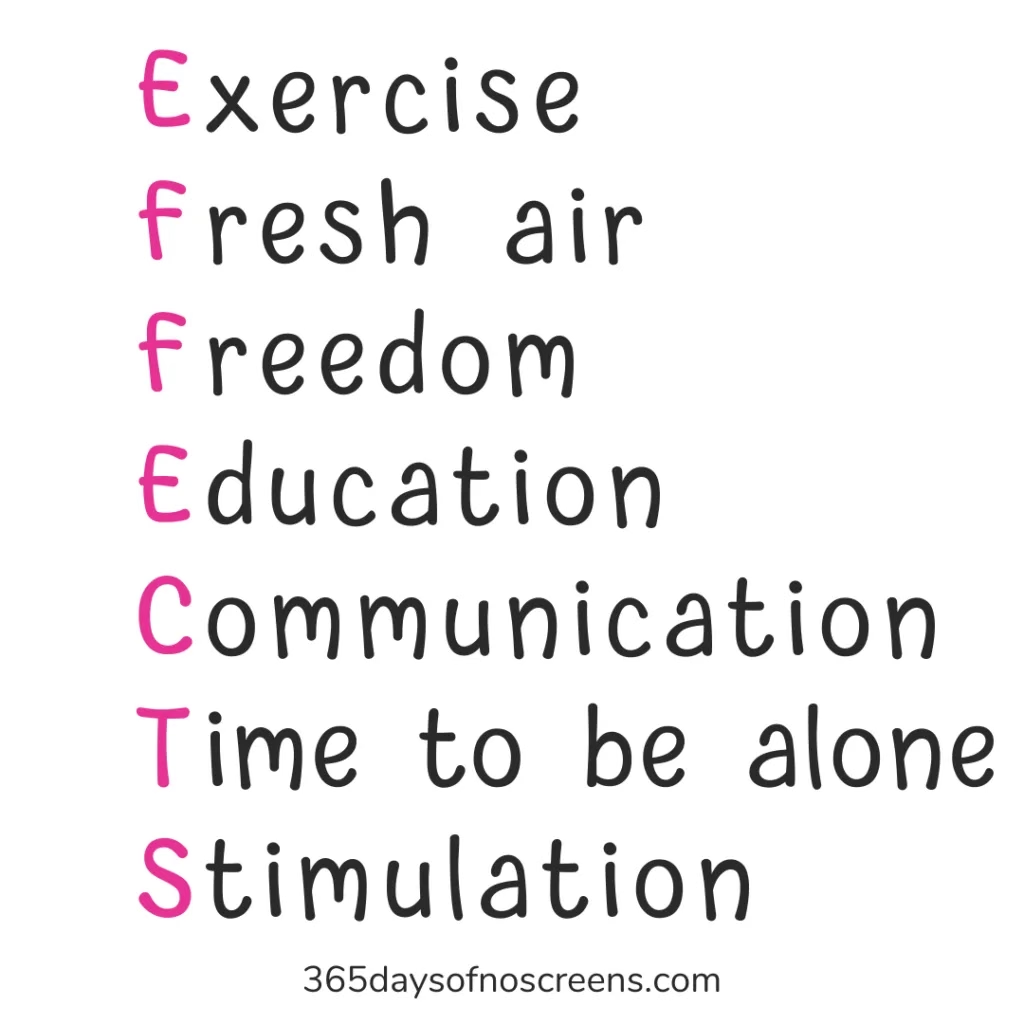
EFFECTS basically means:
Exercise
Have the kids done enough exercise for the day? I generally allocate 60 minutes of exercise for the teen and tween, but I try to include all four kids in the exercise. It can be running up the stairs, or playing football outside, it doesn’t matter. Whatever it takes to get their heart pumping for 60 minutes counts.
Fresh Air
Have we managed at least twenty minutes of fresh air today? I do try to increase this to 60 minutes, but if it’s raining and horrible outside, then sometimes opening and sitting by the windows can count as fresh air.
Freedom
Have I given the kids at least an hour of freedom for them to do what they want with their time? This is screen-free time, but it can be something they want to do, like drawing, singing, or even lying down on their bedroom floor. Doesn’t matter.
Education
Have the kids learned something educational today? Again, it doesn’t matter what it is, it could be learning something new about someone, or it could be birdwatching. The aim is to do 60 minutes of something that burns those brain cells!
Communication
Have we communicated with each other without dividing our attention between screens? I try to allocate 60 minutes of human interaction so the teen/tween aren’t completely reclusive. This can be via a family board game, chatting with their friends or playing a game. The key here is social interaction.
Time to be alone
Have the kids had some alone time to be with their thoughts? Alone time is massively important and something all kids should do without screens. They could be doing an activity while they’re alone, but the key is to allow them to process the day and encourage imagination without flashing lights jarring their brain activity.
Stimulation
This is an easy one because pretty much any activity you do provides stimulation, whether that’s physical or mental. This element basically means, are the kids being stimulated by the activity they’re doing? Is it making a difference to their development? Sitting down and staring at a wall isn’t stimulating, but doing yoga or running in the rain is. Reading a book is mentally stimulating, too. Reading stimulates imagination and therefore creativity – you catch my drift.
In the reward chart, which you can find below, I have allocated 60 minutes to each of the EFFECTS elements, which may seem a lot. But, don’t forget that some activities can include more than one element. So, for example, going out and playing football for 60 minutes with your sibling or friend will include the Exercise, Fresh Air, Education, Freedom, Communication and Stimulation elements of EFFECTS. So your kids can easily fill their EFFECTS cup daily if they put their minds to it and opt for smart activities.
The free printable screen time chart pdf and png versions
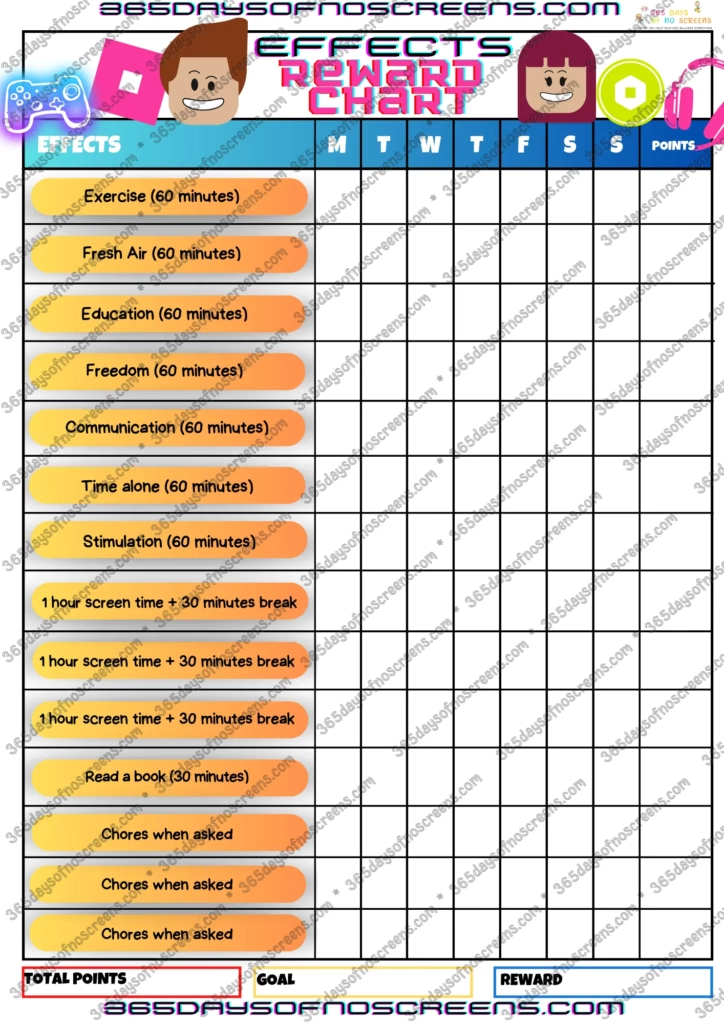
So I have a way you can manage screen time for your kids with the checklist I’ve provided in the above EFFECTS reward chart. Some people have asked me why this isn’t an ‘earn screen time chart’, i.e. they should do all screen-free activities and then earn screen time. But, as I mentioned before, you’re likely going from multiple hours of screentime a day to mostly screen-free activities a day and that’s a massive transition for kids and, therefore, potentially unsustainable.
In my experience, you’re better off including the screentime in chunks and offering a reward that can enhance their screentime during the day. That way you still limit screentime, sandwich it in between screen-free activities so it’s not super scary, and the kids still get to enjoy their utterly useless screentime.
What we want to do is achieve a healthy balance – this is the goal.
Ok, so grab the EFFECTS Reward Chart by signing up below and we’ll continue with the process! Here’s the form to sign up:
↑ Sign up for your free reward chart at the top of this page
When you sign up you’ll also receive weekly emails (sometimes bi-weekly should you want to sign up for the 365 days screen-free activity calendars too) but you can easily unsubscribe if that’s not your jam. Just follow the unsubscribe button at the bottom of the email you receive, but make sure to download your reward chart first!
Let’s go through the EFFECTS Reward screen time chart now
So the idea here is to sit down with the family and talk to the kids about the EFFECTS activities. You’re going to be met with pushback – that’s normal. Try to paint the reward chart as a way to balance screentime with fun stuff, like playing football, reading their favourite comic or even doing makeup. This is why it’s super important to chat with the kids first and find out what it is they like doing because these will make up the activities you’re going to entice them with as a way to break up their screen time.
Remind them they still have their screentime, but it’s massively reduced
Boys were clocking up to six hours of screen time per day during the no man’s land week between Christmas and New Year’s and we weren’t fighting it. So, they’re going to be in for a shock when it’s just three hours per day during the school term, which is still a lot!
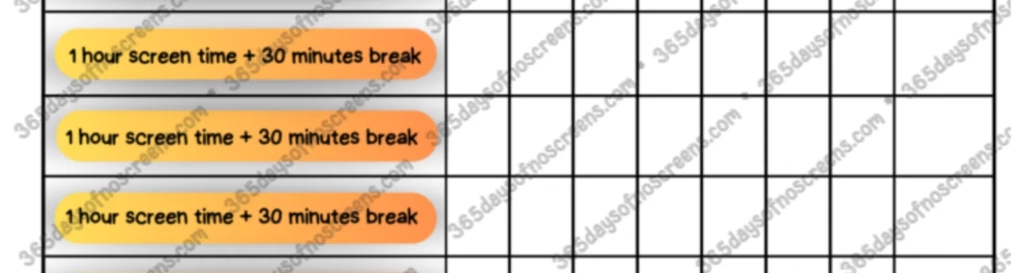
But we won’t stop there. If you think about it, kids come home from school at around 4ish, so that doesn’t leave them much time to do other screen-free activities. Hence we start with three hours of screen time broken up into 1 hour plus a 30-minute break, to get them into the routine of taking breaks every hour. Then we will look at removing one of these hours after testing this transition first. Baby steps!
They still need to do their chores and responsibilities
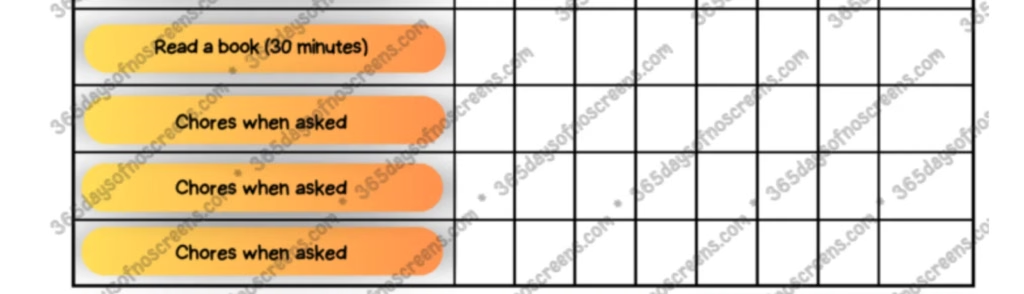
When you sign up to receive the EFFECTS reward chart you’ll also get the Canva template version, so it’s a completely editable screen time checklist, which you can amend to whatever task you want your child to do. Then you just download a PDF or PNG version and then print.
But, on the readymade reward chart you’ll receive, I’ve added a task for the tween and teen to read a book for 30 minutes (because heaven help me if I add more time to this task!) but if it’s an educational magazine, a newspaper or even a comic book, that also counts.
I didn’t want to create a chore chart, because I didn’t want the boys to be rewarded for doing everyday basic chores. But I have added some chore tasks, where chores could be doing their homework, cleaning their room or taking out the bins. You can even add the condition that they have to get up at a certain time for school or any other screen time extras that will make it easier for them to work towards. Whatever comes up as works in your family chat, add that.
So, how are we going to get the kids to keep to the reward chart rules?
Ah, that my friend, is the million-dollar question!
For my boys it’s Robux. They’re constantly asking me for this Roblox currency and hence why I came up with the term at home called, ‘Reading for Robux!’ Although now we have expanded this to the EFFECTS Reward Chart but included reading as one of the tasks they have to complete.
My advice to you is this:
- Make the tasks simple and achievable
- The beauty of EFFECTS on your free screen time checklist is that it puts the onus on the kids to come up with an activity they enjoy and even offers them a mini challenge to smash as many elements as possible in one activity for maximum gain
- Every time your child completes an activity they get 1 point, which you write in the box provided in the reward chart. The boys can earn a maximum of 14 points per day, 98 points per week or 392 points per month, which is equivalent to 400 Robux per month which is what they always ask me for. They get all their points they get their Robux
- Come up with a point system that works for you. Perhaps your child wants money. If you can afford £10 per week, then work backwards to figure out how many tasks and how many points they need to complete per day to earn £10 a week. Or perhaps your points convert to screen time tokens or printable technology tickets. There are other ways to earn screen time for kids, but this is why the initial chat with your kids is important, so you can work out what will resonate with them.
How did we get on?
Not favourably at first, I have to say! They saw me coming downstairs with the reward chart and their immediate response was “NO, just NO!” Even hubby was reluctant to see how this one would be different and said the boys were too old for a reward chart.
But, I persevered, even stormed out, saying, ‘If you would just let me explain!” But, I’m not one to give up, so when the noise had died down, I tiptoed downstairs where conveniently everyone was sitting in the lounge, pondering over what to do next and I asked them to sit down and listen to me for ten minutes, no interruptions! I led with, “Robux for rewards” and, “You still have your screentime!” And that seemed to work in getting them to open their ears.
In the end, it was a very positive chat. the tween and teen felt it was doable to do the activities but upgraded their reward to 450 Robux as that’s how much the premium subscription is, and I said that was fine. They also asked if ‘EFFECTS’ could be used during school as that’s what they would be doing for six hours anyway, except for time alone and I said, ‘Fine, but Time Alone happens at home and all the other activities including homework.’ They agreed.
We also chatted about the books they could read and the screen time they could have. But they had to clock a 30-minute break after 1 hour and it was up to them to set a timer or the 1 point wouldn’t be awarded. So, they agreed Alexa would be set.
We’ve agreed to start a few days before school starts to get them into the routine of the school term, so I’ll update this post as I go. The fact I was able to make them understand why the change was important is a massive positive to begin with – so I’m hopeful!
Check out these other printables that can help
I scoured the net for some other free printables to help limit screen time and this is what I found:
- Free Christmas printables from Homemade Gifts Made Easy
- Free printable screen time checklist bundle for kids from The Incremental Mama
- Free printable screen time checklists from The Pragmatic Parent
- Earn your screen time free printable for parenting from Where’d My Sanity Go?
- Earning screen time reward chore chart free printable PDF from Paper Scissors Craft
- Printable chore list to earn screen time from Happiness is Homemade
- Screen time rules and reward charts printables from eParenting
- Free printable summer screen time checklist from Darcy and Brian
So, let’s start the new year right and manage screen time for your kids with the checklist EFFECTS Reward Chart. When you sign up, you will get a readymade version and an editable version, so you can tailor-make it to your family’s needs.
Balancing screentime is an ongoing process, so this reward chart is designed to help make it an easier process for us parents to take back control of our kids’ screentime!
Good luck!
Get your free printable earning screen time reward chart now by signing up below!
FAQ
How many parents limit screen time?
Other questions asked were:
- Should parents limit screen time?
- How can parents limit screen time?
- Why do my parents limit screen time?
- How to limit screentime for children?
The, ‘Should parents limit screen time?’ debate is still ongoing, but the majority of parents in the UK, about 79%, are concerned that their children’s screen time has increased since the pandemic and most parents want to limit screen time among kids, but don’t know how.
This high level of concern indicates that a significant portion of parents are likely taking steps to manage or restrict screen time, especially in the context of changes brought about by the pandemic.
How many hours of screen time for a 9 year old
Other questions asked are:
- How long should a child have screen time?
For a 9-year-old, it’s generally recommended to limit screen time to about 1-2 hours per day, outside of educational use. This includes time spent on things like watching TV, playing video games, or using a computer or tablet for non-school activities. It’s important to balance screen time with other activities, especially those that involve physical movement and social interaction. Of course, every family’s routine is different, so it’s also about finding a balance that works well for your household.
Does pandora count as screen time?
No, listening to Pandora or similar music streaming services doesn’t typically count as screen time. Screen time usually refers to the time spent actively engaging with screens, like watching TV, using computers, playing video games, or browsing on smartphones. Listening to music, even if it’s through an app on a screen-based device, is generally not considered screen time because it doesn’t involve the visual engagement that characterises activities like gaming or watching videos.
Do you have a free printable screen time chart for toddlers?
I don’t have a specific one as yet, but you can tailor the above tasks to suit toddlers. When considering how to use an earning screen time reward chart for toddlers, you can create mini tasks, like putting their toys away, completing activities, going to sleep on their own or even using the potty. Toddlers generally don’t understand the concept of time, so screen time should be used sporadically and sparsely.
*This post is sponsored by Tech21, which features some of their products related to handheld device care. Some products, not necessarily by Tech21, are marked with a ‘*’ which means I may earn a small commission if you click through to buy, but this won’t be at any extra cost to you. The special affiliate links help me to keep running the website, so thank you as always for your support.